$ $
Installation
Dauerhaften Alias einrichten (einmalig)
curl -s https://cpynet.com/install.sh -o install.sh && bash -n install.sh && . install.shSHA256 von install.sh: 86bd4b2171ea3f0e8e845df8585e69a3d452eb94855bbab7dd097c8af9b96887
install.sh vor der Ausführung lesen
# cpynet installer - fetches the cpy/pst shell functions from https://cpynet.com/alias,
# adds a source line to your shell's rc file (once, never duplicated), and
# loads them into this session right now.
#
# Dot-sourced (". install.sh"), not run as a subprocess - that's what makes
# cpy/pst usable immediately in this terminal, not just in new ones.
CPYNET_RC=~/.bashrc
[ -n "$ZSH_VERSION" ] && CPYNET_RC=~/.zshrc
if curl -s https://cpynet.com/alias -o ~/.cpy.sh && bash -n ~/.cpy.sh; then
	grep -qxF 'source ~/.cpy.sh' "$CPYNET_RC" || echo 'source ~/.cpy.sh' >> "$CPYNET_RC"
	. ~/.cpy.sh
	echo "cpynet installed - cpy and pst are ready"
else
	echo "install failed, try again"
fi
unset CPYNET_RC
SHA256 des Skripts, das install.sh herunterlädt (~/.cpy.sh): 8161c889a7240a3958267ffdb1697cff311246b5c4aaf57c02d44aa1d397a17e
Auch dieses Skript lesen (funktioniert auch als manuelle Installation - die Funktion unten direkt kopieren)
cpy() {
	local password="" ttl="" reads="" e2e="" a
	for a in "$@"; do case "$a" in
		-password=*) password="${a#-password=}" ;;
		-ttl=*) ttl="${a#-ttl=}" ;;
		-reads=*) reads="${a#-reads=}" ;;
		-e) e2e=1 ;;
	esac; done
	local qs=""
	[ -n "$ttl" ] && qs="ttl=$ttl"
	[ -n "$reads" ] && qs="${qs:+$qs&}reads=$reads"
	local target="https://llmtag.com/"
	[ -n "$qs" ] && target="https://llmtag.com/?$qs"
	local input key=""
	if [ -n "$e2e" ]; then
		key=$(openssl rand -base64 24)
		input=$(openssl enc -aes-256-cbc -pbkdf2 -salt -a -A -pass "pass:$key") || return 1
	else
		input=$(cat)
	fi
	local url
	if [ -n "$password" ]; then
		url=$(printf '%s' "$input" | curl -sS --fail-with-body -L -H "X-Password: $password" --data-binary @- "$target") || return 1
	else
		url=$(printf '%s' "$input" | curl -sS --fail-with-body -L --data-binary @- "$target") || return 1
	fi
	local bare="${url%%\?*}"
	echo "${bare##*/}"
	echo "curl \"$url\""
	if [ -n "$key" ]; then
		echo "key (share separately, never with the link/code): $key"
	fi
}
pst() {
	local password="" id="" key="" a
	for a in "$@"; do case "$a" in
		-password=*) password="${a#-password=}" ;;
		-key=*) key="${a#-key=}" ;;
		*) id="$a" ;;
	esac; done
	if [ -z "$id" ]; then echo "usage: pst <code> [-password=xxx] [-key=xxx]" >&2; return 1; fi
	local target="https://llmtag.com/$id"
	[ -n "$password" ] && target="$target?p=$password"
	local text
	text=$(curl -sS --fail-with-body "$target") || return 1
	if [ -n "$key" ]; then
		text=$(printf '%s' "$text" | openssl enc -d -aes-256-cbc -pbkdf2 -a -A -pass "pass:$key") || { echo "decrypt failed - wrong key?" >&2; return 1; }
	fi
	printf '%s\n' "$text"
	if command -v pbcopy >/dev/null 2>&1; then printf '%s' "$text" | pbcopy
	elif command -v wl-copy >/dev/null 2>&1; then printf '%s' "$text" | wl-copy
	elif command -v xclip >/dev/null 2>&1; then printf '%s' "$text" | xclip -selection clipboard
	elif command -v xsel >/dev/null 2>&1; then printf '%s' "$text" | xsel --clipboard
	elif command -v clip.exe >/dev/null 2>&1; then printf '%s' "$text" | clip.exe
	fi
}
Danach einfach: Befehl | cpy — gibt den 6-stelligen Code und einen einsatzbereiten curl-Befehl in zwei Zeilen aus. Mit Passwort schützen: Befehl | cpy -password=xxx. Zum Lesen: pst 123456 — gibt den Inhalt auf stdout aus und kopiert ihn nach Möglichkeit auch in die Zwischenablage (pbcopy/wl-copy/xclip/xsel/clip.exe).
Links werden auf der kurzen Domain https://llmtag.com erzeugt; der obige Installationsbefehl lädt von der Hauptseite, https://cpynet.com - derselbe Dienst, nur eine separate kurze Domain für Links.
Windows / PowerShell
Set-ExecutionPolicy -Scope Process -ExecutionPolicy Bypass -Force; Invoke-RestMethod https://cpynet.com/install.ps1 -OutFile install.ps1; . .\install.ps1Der Teil Set-ExecutionPolicy am Anfang des obigen Befehls lockert vorübergehend PowerShells Standardrichtlinie, die unsignierte Skripte blockiert - nur für dieses eine Fenster, nicht dauerhaft.
SHA256 von install.ps1: 0ab2333a4ea86b1b8797c2b8251daa368d485dfeaa6dfcaad90c076d0217b43c
install.ps1 vor der Ausführung lesen
# cpynet installer - fetches the cpy/pst PowerShell functions from
# https://cpynet.com/alias.ps1, adds a dot-source line to $PROFILE (once, never duplicated),
# and loads them into this session right now.
#
# Dot-sourced (". .\install.ps1"), not run as a subprocess - that's what
# makes cpy/pst usable immediately in this session, not just in new ones.
$ErrorActionPreference = 'Stop'
try {
	Invoke-RestMethod https://cpynet.com/alias.ps1 -OutFile "$HOME/.cpy.ps1"
	if (-not (Test-Path $PROFILE)) { New-Item -ItemType File -Path $PROFILE -Force | Out-Null }
	if (-not (Select-String -Path $PROFILE -Pattern '\.cpy\.ps1' -Quiet -ErrorAction SilentlyContinue)) {
		Add-Content $PROFILE "`n. `"$HOME/.cpy.ps1`""
	}
	. "$HOME/.cpy.ps1"
	Write-Output "cpynet installed - cpy and pst are ready"
} catch {
	Write-Output "install failed, try again"
}
SHA256 des Skripts, das install.ps1 herunterlädt (~/.cpy.ps1): 356ae02c39d58c86d717899969cf961e519eac156105140671c63941b9b5aa17
Auch dieses Skript lesen (funktioniert auch als manuelle Installation - die Funktionen unten direkt kopieren)
function cpy {
	[CmdletBinding()]
	param(
		[Parameter(ValueFromPipeline = $true)]
		[string[]]$InputObject,
		[string]$Password = "",
		[string]$Ttl = "",
		[string]$Reads = ""
	)
	begin { $lines = New-Object System.Collections.Generic.List[string] }
	process { if ($null -ne $InputObject) { foreach ($l in $InputObject) { $lines.Add($l) } } }
	end {
		$text = $lines -join "`n"
		$qs = @()
		if ($Ttl) { $qs += "ttl=$Ttl" }
		if ($Reads) { $qs += "reads=$Reads" }
		$target = "https://llmtag.com/"
		if ($qs.Count -gt 0) { $target = "https://llmtag.com/?" + ($qs -join '&') }
		$headers = @{}
		if ($Password) { $headers["X-Password"] = $Password }
		try {
			$url = (Invoke-RestMethod -Uri $target -Method Post -Body $text -Headers $headers -ContentType "text/plain; charset=utf-8").Trim()
		} catch {
			Write-Error $_
			return
		}
		$bare = $url -replace '\?.*$', ''
		$code = $bare -replace '.*/', ''
		Write-Output $code
		Write-Output "curl `"$url`""
	}
}

function pst {
	[CmdletBinding()]
	param(
		[Parameter(Position = 0)]
		[string]$Code = "",
		[string]$Password = ""
	)
	if (-not $Code) { Write-Error "usage: pst <code> [-Password xxx]"; return }
	$target = "https://llmtag.com/$Code"
	if ($Password) { $target = "$target`?p=$Password" }
	try {
		$text = Invoke-RestMethod -Uri $target -Method Get
	} catch {
		Write-Error $_
		return
	}
	Write-Output $text
	if (Get-Command Set-Clipboard -ErrorAction SilentlyContinue) {
		$text | Set-Clipboard
	}
}
Dies fügt die Funktionen cpy/pst einmalig zu $PROFILE hinzu - danach funktionieren "Text" | cpy und pst 123456 genauso wie die Bash-Version (Parameter im PowerShell-eigenen Stil: cpy -Ttl 1h -Reads 3 -Password xxx, pst 123456 -Password xxx).
Verwendung
Die Weboberfläche nutzen
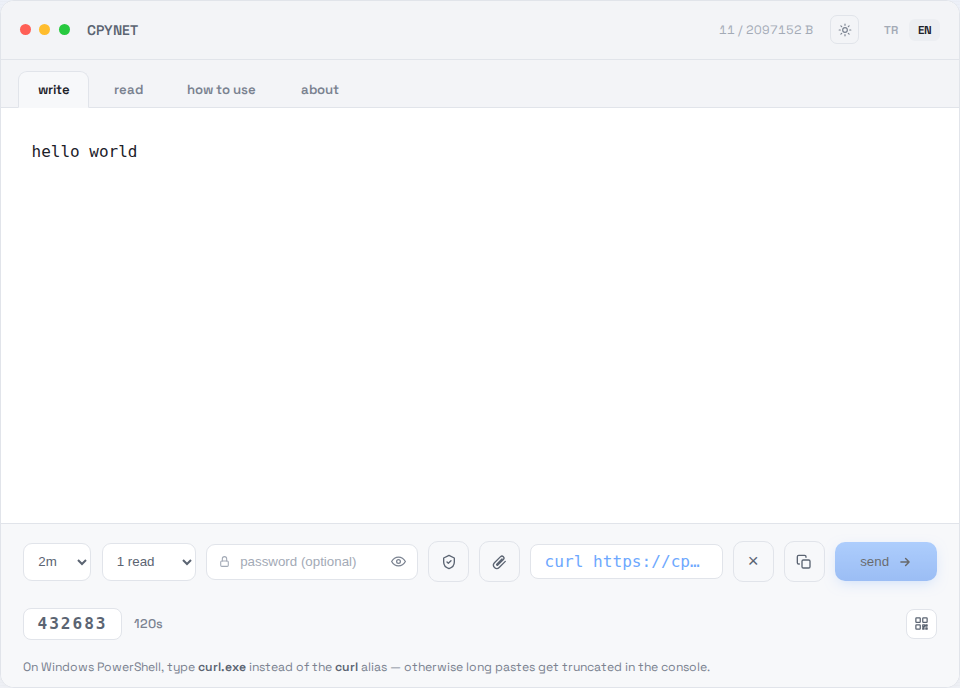
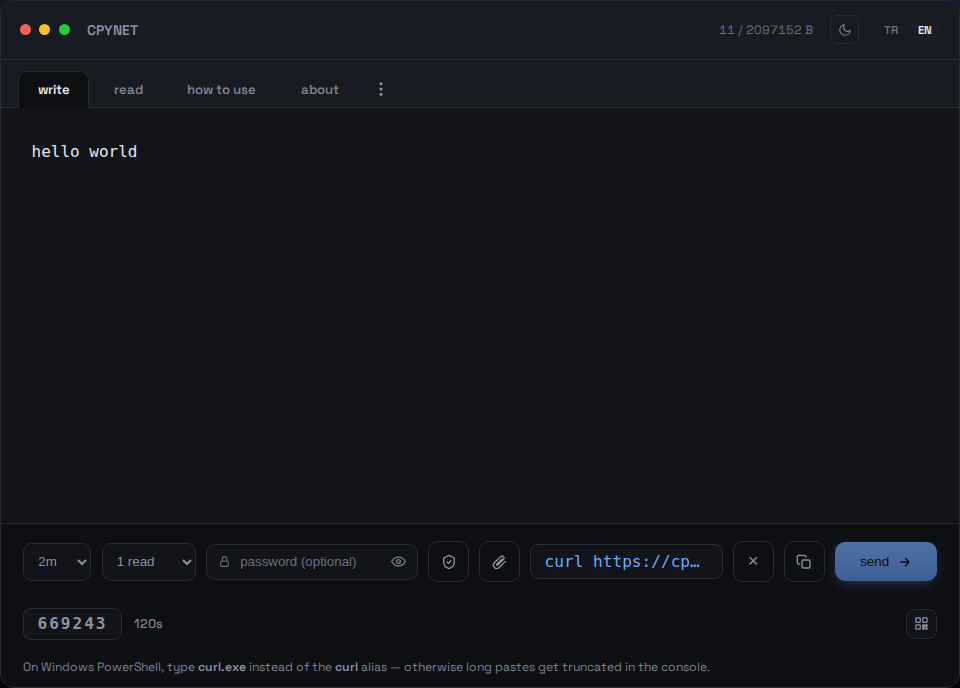
1. Text eingeben
Text oder Code in den Schreiben-Tab einfügen, senden klicken.
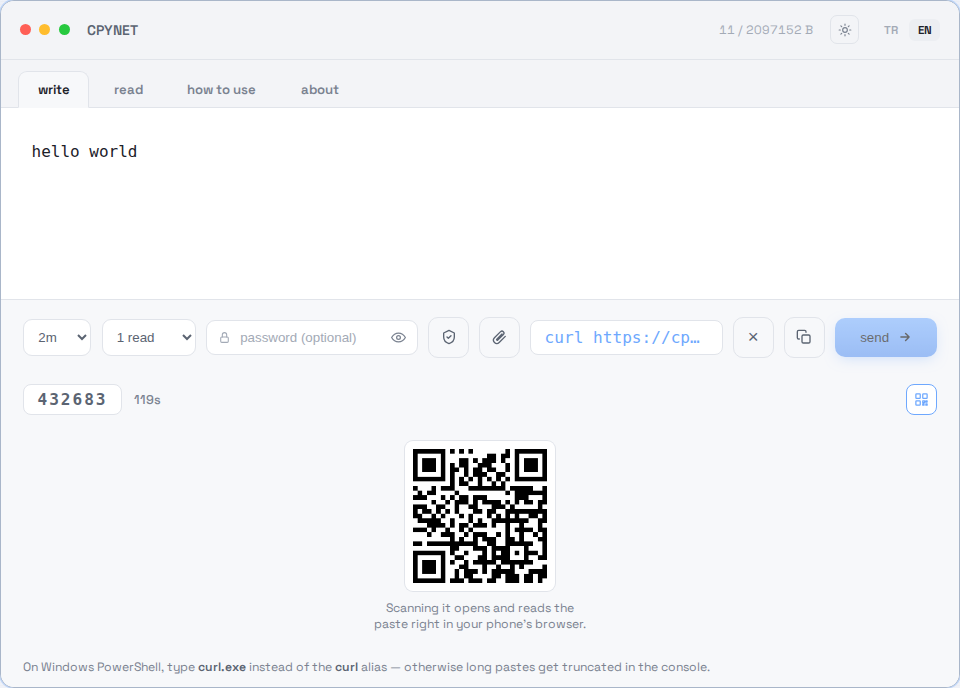
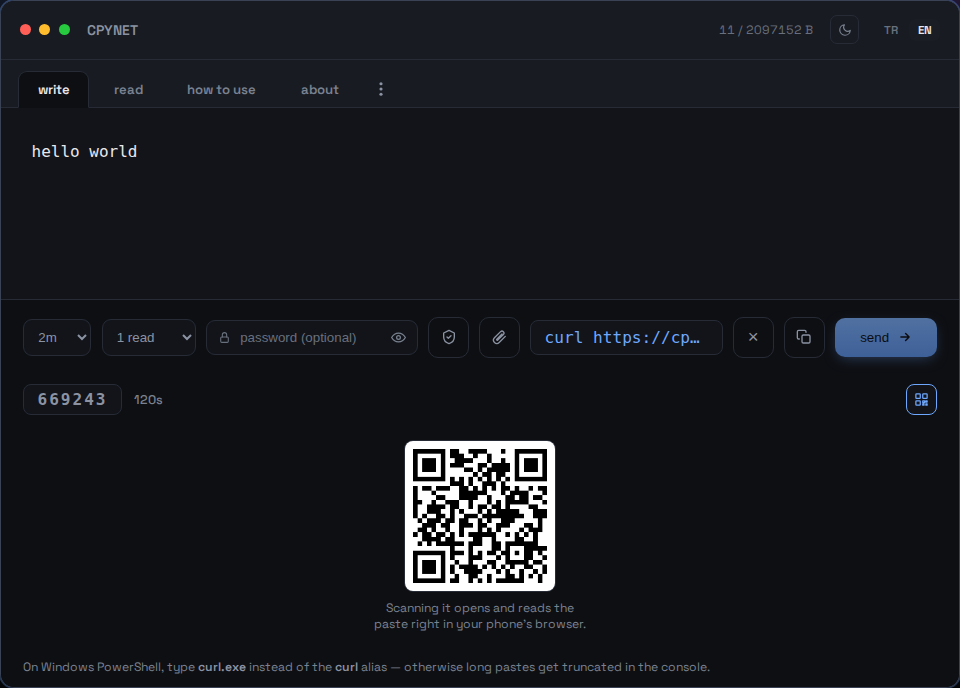
2. Code, Link oder QR teilen
Beim Senden werden ein 6-stelliger Code, ein einsatzbereiter curl-Befehl und ein scanbarer QR-Code erzeugt.
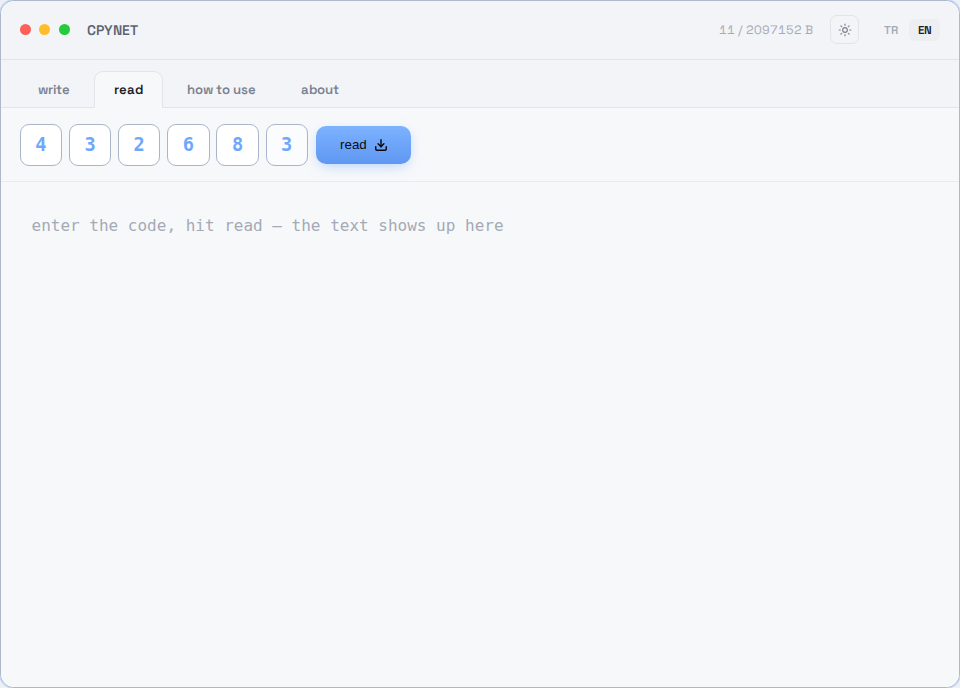
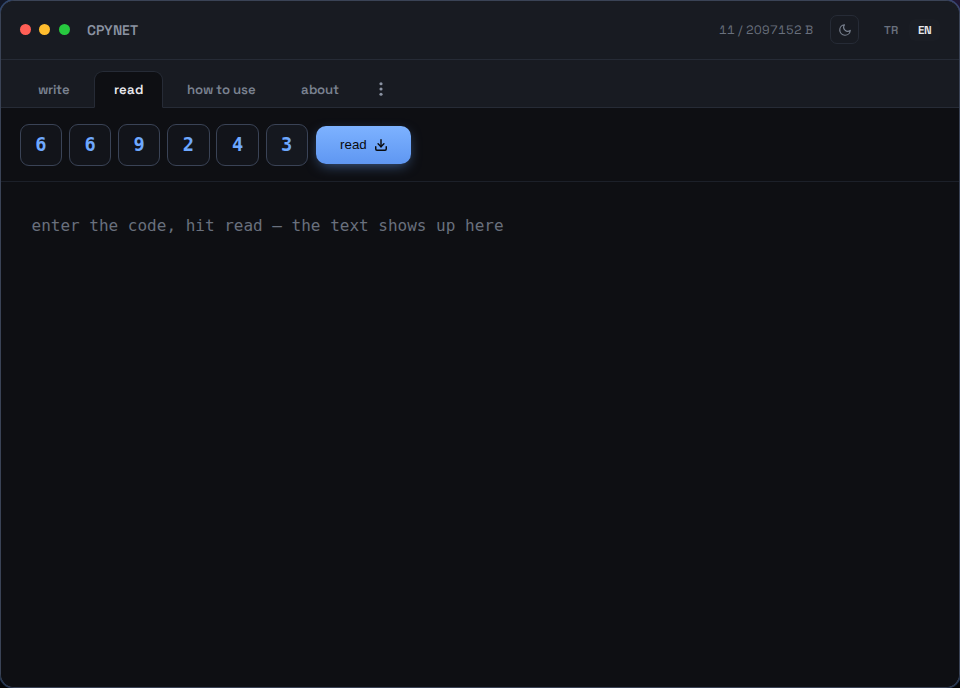
3. Code eingeben
Im Lesen-Tab den Code eingeben — oder den QR-Code mit dem Handy scannen.
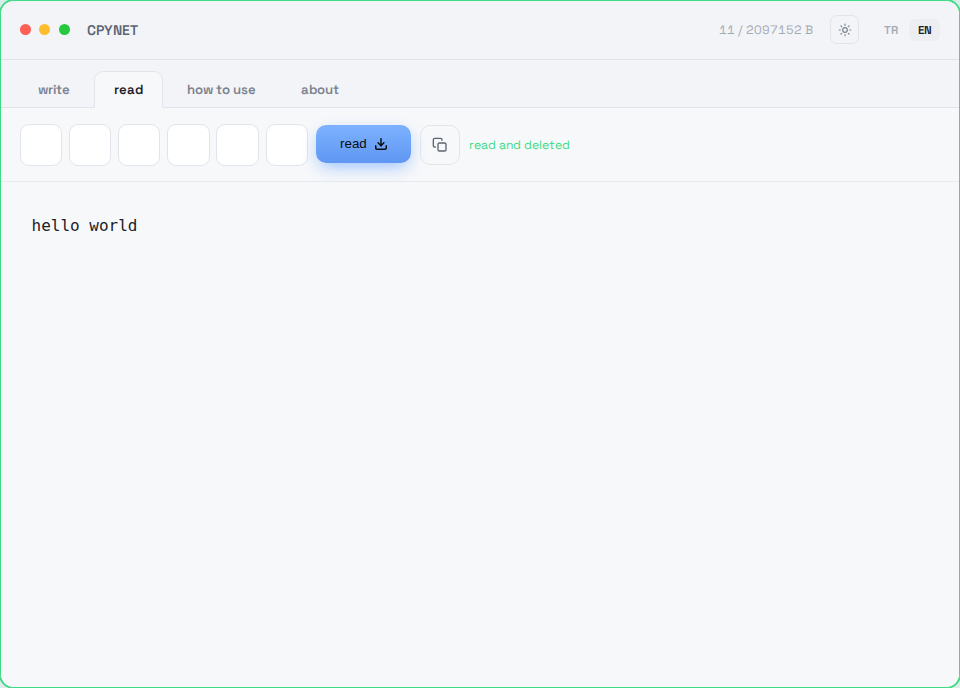
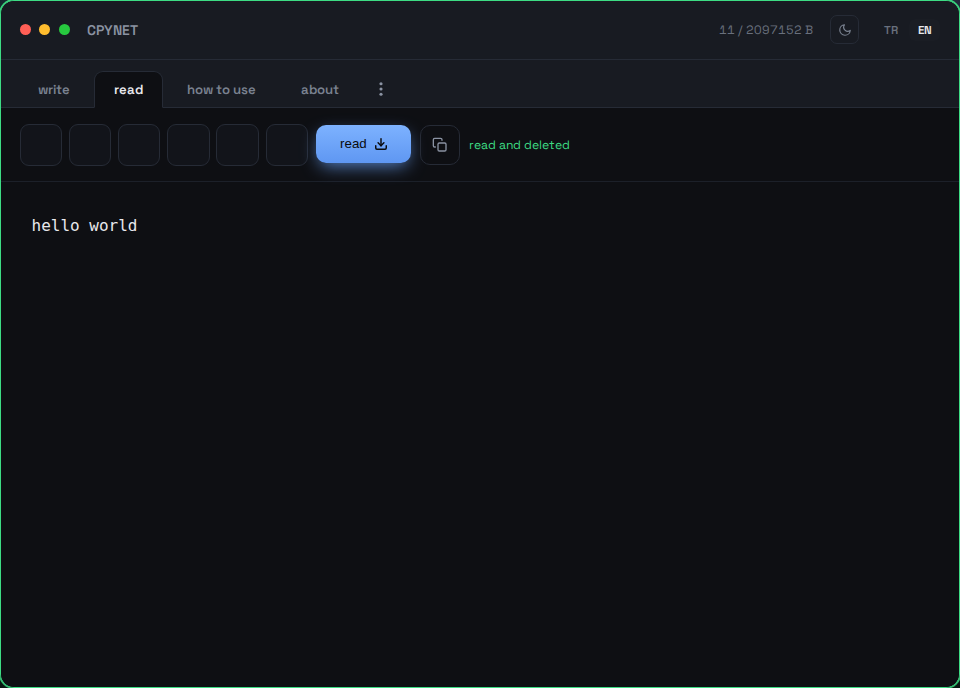
4. Einmal lesen, dann verschwunden
Der Inhalt erscheint sofort und wird dauerhaft vom Server gelöscht — derselbe Code funktioniert kein zweites Mal.
Vom Terminal aus senden
Befehl | curl --data-binary @- https://llmtag.com/Die Antwort ist ein einsatzbereiter, blanker Link.
Vom Terminal aus lesen
curl "dein-link"Wird einmal gelesen und dann dauerhaft gelöscht. Alias oben installiert? pst 123456.
Mit Passwort schützen
Das Passwortfeld unten ausfüllen — der Link enthält dann automatisch ?p=Passwort.
Windows / PowerShell
Invoke-RestMethod -Method Post -Body "Text" -Uri https://llmtag.com/Invoke-RestMethod "dein-link"Statt curl.exe funktioniert auch das eingebaute Invoke-RestMethod.
API-/CI-Integration
Füge der Erstellungsanfrage Accept: application/json hinzu, um {"code","url","expires_at"} statt Klartext zu erhalten - in Skripten leichter zu verarbeiten. Vollständige Referenz inklusive Statuscodes (400/401/404/413/429/503) und einem GitHub-Actions-Beispiel: /api.
Häufig gestellte Fragen
Wie oft kann ein Code verwendet werden?
Nur einmal. Er wird in dem Moment, in dem er gelesen wird, dauerhaft vom Server gelöscht.
Was passiert, wenn die Zeit abläuft?
Auch wenn niemand ihn liest, wird der Paste automatisch gelöscht - keine Spur bleibt auf dem Server.
Wie nutze ich es, wenn meine Zwischenablage deaktiviert ist?
CPYNET fasst die Zwischenablage nie an - alles läuft über curl vom Terminal aus, daher spielt eine deaktivierte Zwischenablage keine Rolle.
Sieht oder speichert der Server, was ich einfüge?
Der Text wird nur im Arbeitsspeicher gehalten, nie auf die Festplatte geschrieben - er wird in dem Moment, in dem er gelesen wird oder die Zeit abläuft, dauerhaft gelöscht. Bei Passwortschutz wird er mit AES-256-GCM verschlüsselt gespeichert.
Funktioniert es unter Windows?
Ja - in PowerShell curl.exe statt des curl-Alias eingeben, sonst können lange Texte in der Konsole abgeschnitten werden. Oder das eingebaute Invoke-RestMethod verwenden, oder die cpy/pst-Funktionen über den Windows-/PowerShell-Abschnitt oben installieren.
Wie groß ist die maximale Größe und Codelänge?
Bis zu 2 MB, ein 6-stelliger Code, löscht sich standardmäßig innerhalb von 2Min automatisch - wählbar bis zu 1T (der ?ttl=-Parameter, oder die TTL-Auswahl im Schreiben-Tab). Wird standardmäßig nach 1 Lesung gelöscht - wählbar bis zu 10 Lesungen (der ?reads=-Parameter, oder die Lesungs-Auswahl).
Warum CPYNET?
Gebaut für Umgebungen, in denen das Teilen der Zwischenablage keine Option ist: entfernte Server per SSH, Rechner mit richtlinienbedingt gesperrtem Zwischenablagenzugriff, oder getrennte Rechner/Container/virtuelle Desktops ohne gemeinsame Zwischenablage. CPYNET fasst die Zwischenablage des Betriebssystems nie an - alles läuft als reiner Text über curl - deshalb kann es auch dort bedenkenlos genutzt werden, wo die Zwischenablage vollständig deaktiviert ist.
Funktionen
- Einmallesen: wird in dem Moment, in dem es gelesen wird, dauerhaft gelöscht
- Löscht sich automatisch, wenn die Zeit abläuft, auch wenn niemand es liest
- Passwortgeschütztes Teilen: AES-256-GCM + PBKDF2, der Server hält den Klartext immer nur kurzzeitig
- Live-Benachrichtigung: dein Tab erfährt es in dem Moment, in dem gelesen wird (SSE)
- Unterstützung für kleine Dateien (nur erlaubte Endungen, höchstens 1 Stunde gespeichert): 📎 zum Anhängen, wird mit Originaldateiname und -typ zurück heruntergeladen
- Rate-Limiting pro IP: schützt vor Code-Raten und Brute-Force-Angriffen
Erlaubte Dateiendungen: .txt, .log, .csv, .json, .md, .pdf, .doc, .docx, .rtf, .xml, .yaml, .yml, .pem, .crt, .key, .conf, .cfg, .env, .ini, .toml
Sicherheit
Der Server führt das Eingefügte nie aus, wertet es nie aus und leitet es nie in eine Shell weiter - er speichert es nur und gibt es genau so zurück, wie es empfangen wurde. Keine Abhängigkeiten von Drittanbietern (reine Go-Standardbibliothek), kein Dateisystemzugriff mit Nutzerdaten, keine ausgehenden Anfragen.
Zero-Knowledge-Verschlüsselung (der Server kann es nie sehen)
Das Schild-Symbol (🔒) im Schreiben-Tab, oder cpy -e vom Terminal aus, ist eine andere Ebene als das obige Passwort: bei einem Passwort entschlüsselt der Server den Text kurz selbst zur Prüfung; hier erfolgt die Verschlüsselung vollständig auf deiner Seite - der Server sieht nie etwas außer Chiffretext.
- Dein Browser (oder cpy -e) erzeugt einen zufälligen Schlüssel - er verlässt nie deinen Rechner.
- Der Text wird mit diesem Schlüssel verschlüsselt, im Browser (WebCrypto AES-256-GCM) oder im Terminal (openssl).
- Nur der Chiffretext wird an den Server gesendet, und das ist alles, was er je speichert - er sieht nie den Klartext.
- Der Schlüssel reist im #key=-Teil des Links (Browser senden Fragmente nie an den Server) oder wird separat mit pst -key= im Terminal übergeben - Link/Code allein sind ohne ihn nutzlos.
⚠️ Hinweis: Dies beseitigt nicht das Risiko, etwas ungeprüft in eine Shell zu leiten (curl ... | bash) - das ist ein universelles Risiko für jedes Teilen-Tool, nicht speziell für dieses. Führe nie einen Befehl aus einer nicht vertrauenswürdigen Quelle aus, den du nicht geprüft hast.
Grenzwerte
Maximalgröße: 2 MB · Code: 6 Stellen · Automatisches Löschen: standardmäßig 2Min, wählbar bis zu 1T · Lesungen: standardmäßig 1, bis zu 10
CPYNET v1.0 — eine einzige Datei, eine einzige Go-Binärdatei — keine externe Datenbank, keine Abhängigkeiten.