$ $
Kurulum
Kalıcı alias kur (bir kere)
curl -s https://cpynet.com/install.sh -o install.sh && bash -n install.sh && . install.shinstall.sh'ın SHA256'sı: 86bd4b2171ea3f0e8e845df8585e69a3d452eb94855bbab7dd097c8af9b96887
Çalıştırmadan önce install.sh'ı oku
# cpynet installer - fetches the cpy/pst shell functions from https://cpynet.com/alias,
# adds a source line to your shell's rc file (once, never duplicated), and
# loads them into this session right now.
#
# Dot-sourced (". install.sh"), not run as a subprocess - that's what makes
# cpy/pst usable immediately in this terminal, not just in new ones.
CPYNET_RC=~/.bashrc
[ -n "$ZSH_VERSION" ] && CPYNET_RC=~/.zshrc
if curl -s https://cpynet.com/alias -o ~/.cpy.sh && bash -n ~/.cpy.sh; then
	grep -qxF 'source ~/.cpy.sh' "$CPYNET_RC" || echo 'source ~/.cpy.sh' >> "$CPYNET_RC"
	. ~/.cpy.sh
	echo "cpynet installed - cpy and pst are ready"
else
	echo "install failed, try again"
fi
unset CPYNET_RC
install.sh'ın indirdiği script'in (~/.cpy.sh) SHA256'sı: 8161c889a7240a3958267ffdb1697cff311246b5c4aaf57c02d44aa1d397a17e
Bu script'i de oku (elle kurulum için de kullanılabilir — fonksiyonu doğrudan kopyala)
cpy() {
	local password="" ttl="" reads="" e2e="" a
	for a in "$@"; do case "$a" in
		-password=*) password="${a#-password=}" ;;
		-ttl=*) ttl="${a#-ttl=}" ;;
		-reads=*) reads="${a#-reads=}" ;;
		-e) e2e=1 ;;
	esac; done
	local qs=""
	[ -n "$ttl" ] && qs="ttl=$ttl"
	[ -n "$reads" ] && qs="${qs:+$qs&}reads=$reads"
	local target="https://llmtag.com/"
	[ -n "$qs" ] && target="https://llmtag.com/?$qs"
	local input key=""
	if [ -n "$e2e" ]; then
		key=$(openssl rand -base64 24)
		input=$(openssl enc -aes-256-cbc -pbkdf2 -salt -a -A -pass "pass:$key") || return 1
	else
		input=$(cat)
	fi
	local url
	if [ -n "$password" ]; then
		url=$(printf '%s' "$input" | curl -sS --fail-with-body -L -H "X-Password: $password" --data-binary @- "$target") || return 1
	else
		url=$(printf '%s' "$input" | curl -sS --fail-with-body -L --data-binary @- "$target") || return 1
	fi
	local bare="${url%%\?*}"
	echo "${bare##*/}"
	echo "curl \"$url\""
	if [ -n "$key" ]; then
		echo "key (share separately, never with the link/code): $key"
	fi
}
pst() {
	local password="" id="" key="" a
	for a in "$@"; do case "$a" in
		-password=*) password="${a#-password=}" ;;
		-key=*) key="${a#-key=}" ;;
		*) id="$a" ;;
	esac; done
	if [ -z "$id" ]; then echo "usage: pst <code> [-password=xxx] [-key=xxx]" >&2; return 1; fi
	local target="https://llmtag.com/$id"
	[ -n "$password" ] && target="$target?p=$password"
	local text
	text=$(curl -sS --fail-with-body "$target") || return 1
	if [ -n "$key" ]; then
		text=$(printf '%s' "$text" | openssl enc -d -aes-256-cbc -pbkdf2 -a -A -pass "pass:$key") || { echo "decrypt failed - wrong key?" >&2; return 1; }
	fi
	printf '%s\n' "$text"
	if command -v pbcopy >/dev/null 2>&1; then printf '%s' "$text" | pbcopy
	elif command -v wl-copy >/dev/null 2>&1; then printf '%s' "$text" | wl-copy
	elif command -v xclip >/dev/null 2>&1; then printf '%s' "$text" | xclip -selection clipboard
	elif command -v xsel >/dev/null 2>&1; then printf '%s' "$text" | xsel --clipboard
	elif command -v clip.exe >/dev/null 2>&1; then printf '%s' "$text" | clip.exe
	fi
}
Sonra sadece: komut | cpy — 6 haneli kodu ve hazır curl komutunu iki satırda verir. Parolayla korumak için: komut | cpy -password=xxx. Okuma yönü için: pst 123456 — içeriği stdout'a basar, bulabilirse panoya da kopyalar (pbcopy/wl-copy/xclip/xsel/clip.exe).
Linkler kısa https://llmtag.com domaininde üretilir; yukarıdaki kurulum komutu ana site https://cpynet.com'tan indirir — aynı servistir, sadece linkler için ayrı kısa bir domain kullanılıyor.
Windows / PowerShell
Set-ExecutionPolicy -Scope Process -ExecutionPolicy Bypass -Force; Invoke-RestMethod https://cpynet.com/install.ps1 -OutFile install.ps1; . .\install.ps1Yukarıdaki komutun başındaki Set-ExecutionPolicy kısmı, PowerShell'in imzasız script'leri varsayılan olarak engelleyen güvenlik politikasını sadece bu pencere için (kalıcı olmayacak şekilde) geçici olarak gevşetiyor.
install.ps1'in SHA256'sı: 0ab2333a4ea86b1b8797c2b8251daa368d485dfeaa6dfcaad90c076d0217b43c
Çalıştırmadan önce install.ps1'i oku
# cpynet installer - fetches the cpy/pst PowerShell functions from
# https://cpynet.com/alias.ps1, adds a dot-source line to $PROFILE (once, never duplicated),
# and loads them into this session right now.
#
# Dot-sourced (". .\install.ps1"), not run as a subprocess - that's what
# makes cpy/pst usable immediately in this session, not just in new ones.
$ErrorActionPreference = 'Stop'
try {
	Invoke-RestMethod https://cpynet.com/alias.ps1 -OutFile "$HOME/.cpy.ps1"
	if (-not (Test-Path $PROFILE)) { New-Item -ItemType File -Path $PROFILE -Force | Out-Null }
	if (-not (Select-String -Path $PROFILE -Pattern '\.cpy\.ps1' -Quiet -ErrorAction SilentlyContinue)) {
		Add-Content $PROFILE "`n. `"$HOME/.cpy.ps1`""
	}
	. "$HOME/.cpy.ps1"
	Write-Output "cpynet installed - cpy and pst are ready"
} catch {
	Write-Output "install failed, try again"
}
install.ps1'in indirdiği script'in (~/.cpy.ps1) SHA256'sı: 356ae02c39d58c86d717899969cf961e519eac156105140671c63941b9b5aa17
Bu script'i de oku (elle kurulum için de kullanılabilir — fonksiyonları doğrudan kopyala)
function cpy {
	[CmdletBinding()]
	param(
		[Parameter(ValueFromPipeline = $true)]
		[string[]]$InputObject,
		[string]$Password = "",
		[string]$Ttl = "",
		[string]$Reads = ""
	)
	begin { $lines = New-Object System.Collections.Generic.List[string] }
	process { if ($null -ne $InputObject) { foreach ($l in $InputObject) { $lines.Add($l) } } }
	end {
		$text = $lines -join "`n"
		$qs = @()
		if ($Ttl) { $qs += "ttl=$Ttl" }
		if ($Reads) { $qs += "reads=$Reads" }
		$target = "https://llmtag.com/"
		if ($qs.Count -gt 0) { $target = "https://llmtag.com/?" + ($qs -join '&') }
		$headers = @{}
		if ($Password) { $headers["X-Password"] = $Password }
		try {
			$url = (Invoke-RestMethod -Uri $target -Method Post -Body $text -Headers $headers -ContentType "text/plain; charset=utf-8").Trim()
		} catch {
			Write-Error $_
			return
		}
		$bare = $url -replace '\?.*$', ''
		$code = $bare -replace '.*/', ''
		Write-Output $code
		Write-Output "curl `"$url`""
	}
}

function pst {
	[CmdletBinding()]
	param(
		[Parameter(Position = 0)]
		[string]$Code = "",
		[string]$Password = ""
	)
	if (-not $Code) { Write-Error "usage: pst <code> [-Password xxx]"; return }
	$target = "https://llmtag.com/$Code"
	if ($Password) { $target = "$target`?p=$Password" }
	try {
		$text = Invoke-RestMethod -Uri $target -Method Get
	} catch {
		Write-Error $_
		return
	}
	Write-Output $text
	if (Get-Command Set-Clipboard -ErrorAction SilentlyContinue) {
		$text | Set-Clipboard
	}
}
Bu, $PROFILE'a bir kere cpy/pst fonksiyonlarını ekler — sonrasında "metin" | cpy ve pst 123456 Bash sürümüyle aynı şekilde çalışır (parametreler PowerShell'in kendi biçiminde: cpy -Ttl 1h -Reads 3 -Password xxx, pst 123456 -Password xxx).
Kullanım
Web arayüzü
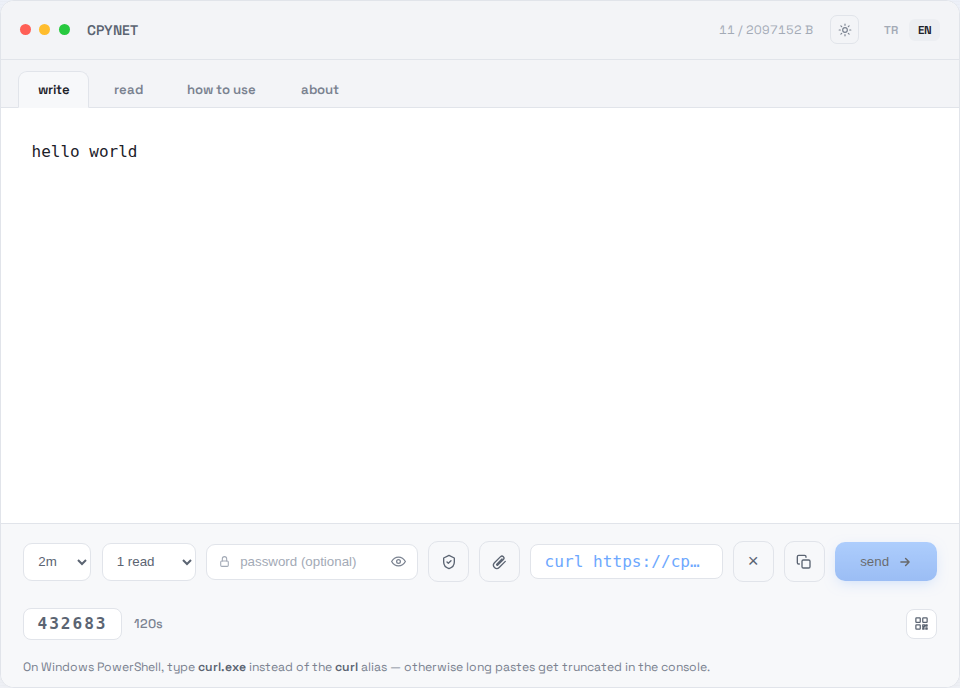
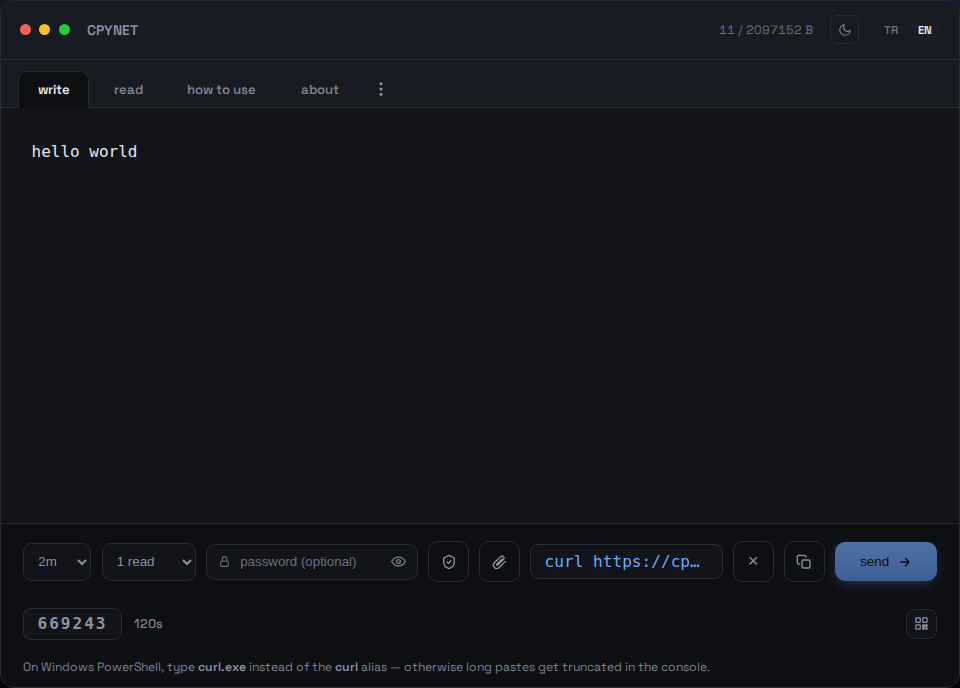
1. Metnini yaz
Yaz sekmesine metnini ya da kodunu yapıştır, gönder.
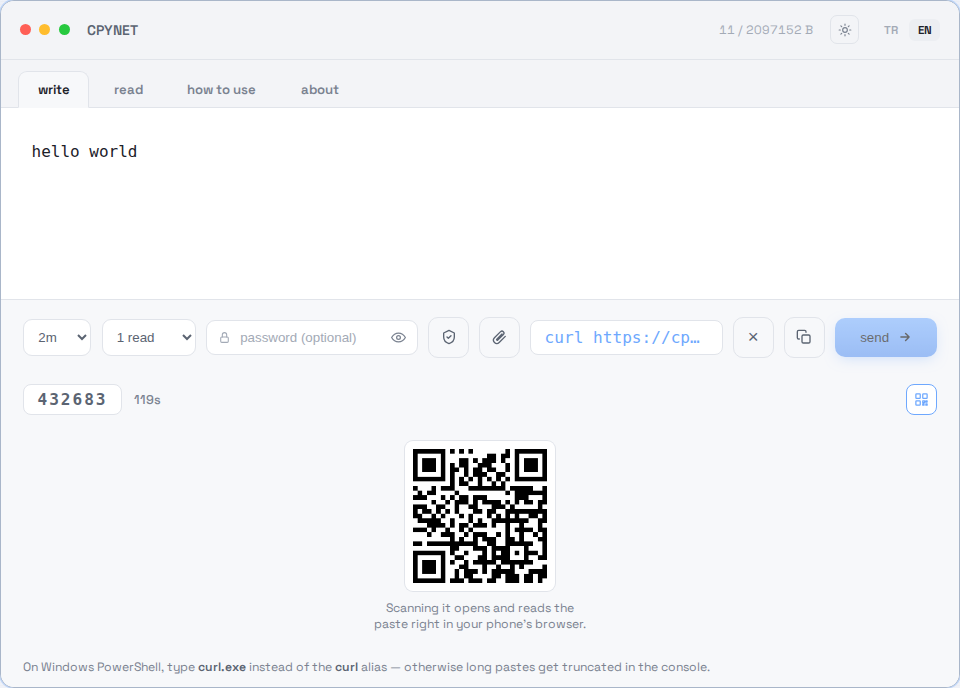
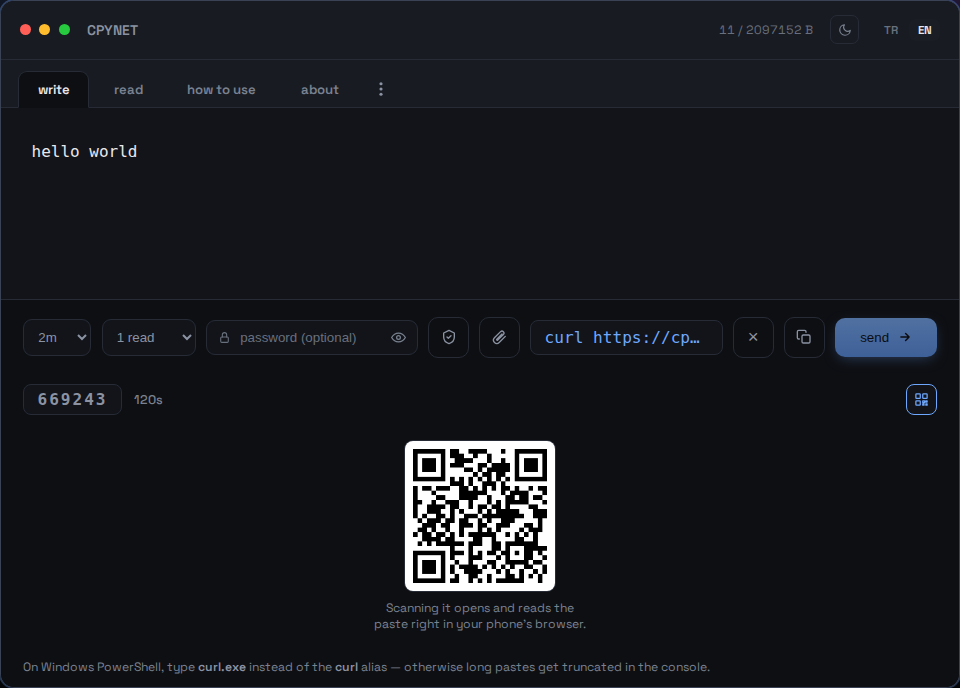
2. Kodu, linki ya da QR'ı paylaş
Gönderince 6 haneli bir kod, hazır bir curl komutu ve taranabilir bir QR kodu üretilir.
3. Kodu gir
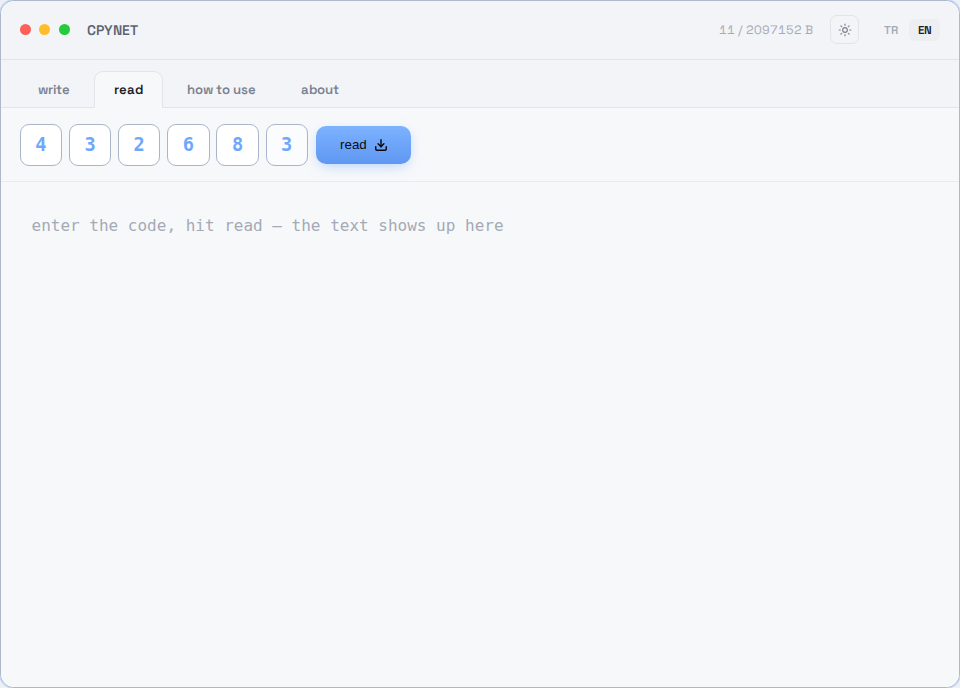
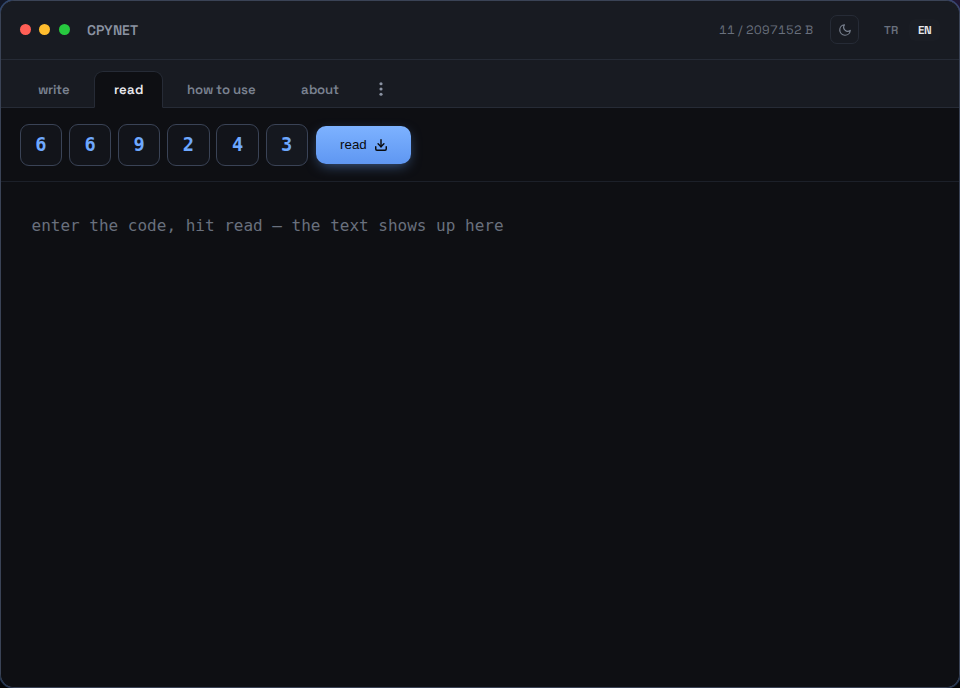
Okuma sekmesinde kodu gir — ya da QR kodunu telefonla tara.
4. Bir kere oku, sonra kaybolur
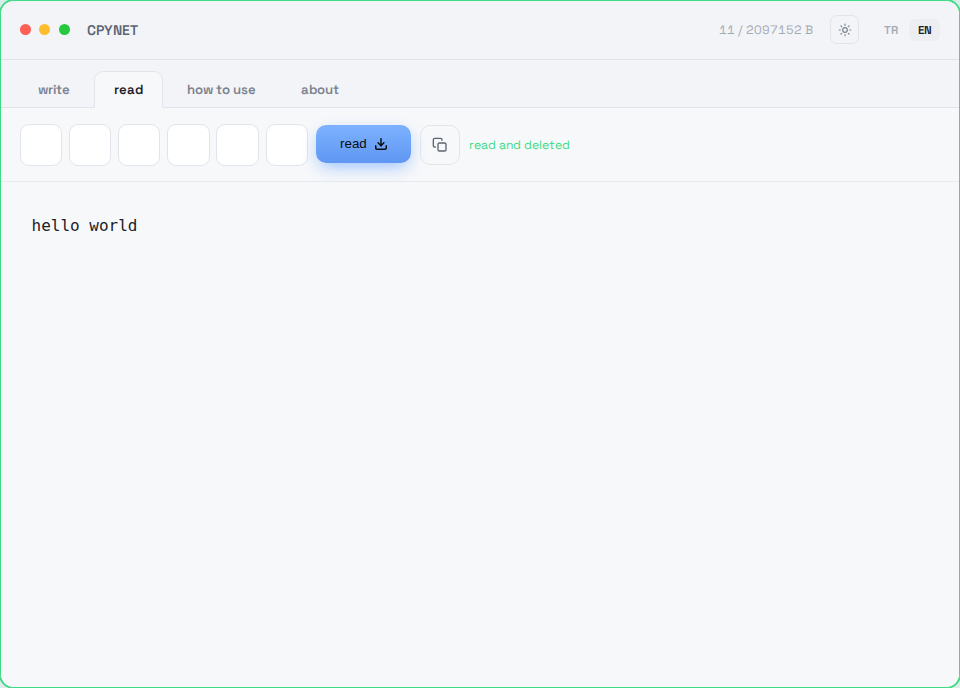
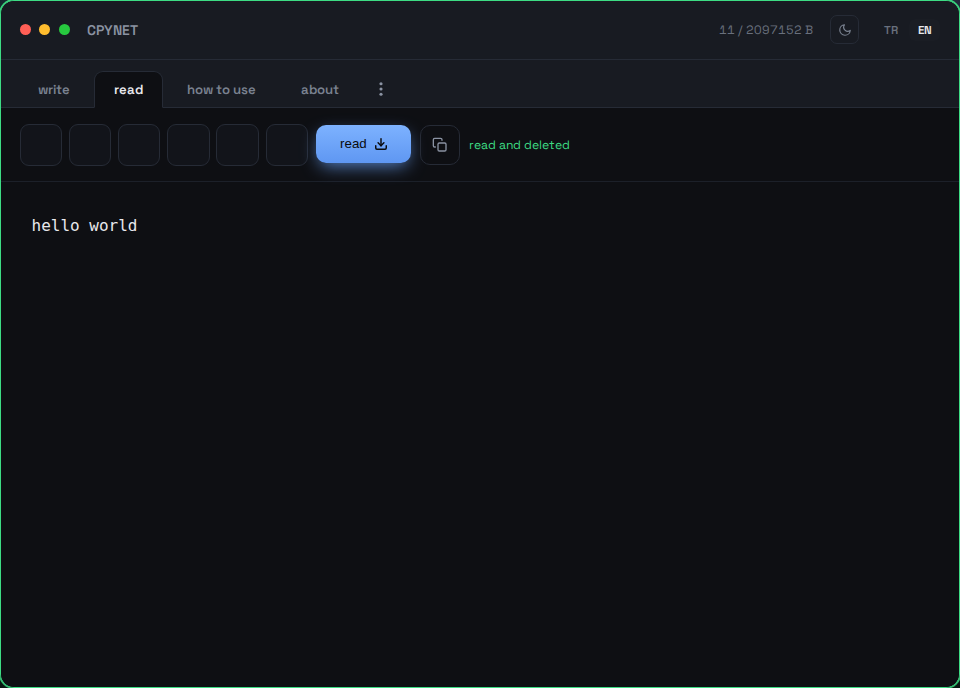
İçerik anında gösterilir ve sunucudan kalıcı olarak silinir — aynı kod ikinci kez çalışmaz.
Terminalden gönder
komut | curl --data-binary @- https://llmtag.com/Cevap olarak doğrudan kullanılabilir bir link dönüyor.
Terminalden al
curl "linkin"Bir kere okunur, sonra kalıcı silinir. Alias kuruluysa: pst 123456.
Parola ile koru
Aşağıdaki parola kutusunu doldur, link otomatik ?p=parola ile gelir.
Windows / PowerShell
Invoke-RestMethod -Method Post -Body "metin" -Uri https://llmtag.com/Invoke-RestMethod "linkin"curl.exe yerine yerleşik Invoke-RestMethod da kullanılabilir.
API / CI entegrasyonu
Oluşturma isteğine Accept: application/json ekle, düz metin yerine {"code","url","expires_at"} al — script'lerde ayrıştırması daha kolay. Durum kodları (400/401/404/413/429/503) ve GitHub Actions örneği dahil tam referans: /api.
Sıkça Sorulan Sorular
Bir kod kaç kere kullanılabilir?
Sadece bir kere. Okunduğu an sunucudan kalıcı olarak silinir.
Süre dolarsa ne olur?
Kimse okumasa bile paste otomatik olarak silinir — sunucuda hiçbir iz kalmaz.
Panom (clipboard) kapalıyken nasıl kullanırım?
CPYNET zaten panoya hiç dokunmuyor — her şey curl ile terminalden gidip geliyor, bu yüzden clipboard kapalı olsa da sorun olmaz.
Sunucu yapıştırdığım metni görüyor ya da saklıyor mu?
Metin yalnızca bellekte tutulur, diske hiç yazılmaz — okunduğu an ya da süre dolunca kalıcı olarak silinir. Parola korumalıysa AES-256-GCM ile şifreli tutulur.
Windows'ta çalışır mı?
Evet — PowerShell'de curl takma adı yerine curl.exe yaz, yoksa uzun metinler konsolda kesilebilir. Ya da yerleşik Invoke-RestMethod'u kullan, ya da yukarıdaki Windows / PowerShell bölümündeki kurulumla cpy/pst fonksiyonlarını ekle.
Maksimum boyut ve kod uzunluğu ne kadar?
2 MB'a kadar, 6 haneli kod, varsayılan olarak 2 dk içinde otomatik silinir - 1 gün'a kadar seçilebilir (?ttl= parametresi, ya da yaz sekmesindeki süre seçici). Varsayılan olarak 1 okumada silinir - 10 okumaya kadar seçilebilir (?reads= parametresi, ya da okuma sayısı seçici).
Neden CPYNET?
Panoya (clipboard) erişimin kapalı ya da paylaşılmadığı ortamlar için çıktı: SSH ile bağlanılan uzak sunucular, kurumsal politikayla panonun kilitlendiği makineler, aralarında ortak panosu olmayan ayrı makineler/konteynerler/sanal masaüstleri. CPYNET işletim sisteminin panosuna hiç dokunmaz — her şey curl üzerinden, düz metin olarak gider gelir — bu yüzden panonun tamamen kapalı olduğu ortamlarda bile gönül rahatlığıyla kullanılabilir.
Özellikler
- Tek kullanımlık: okunduğu an kalıcı olarak silinir
- Süre dolunca kimse almasa da otomatik silinir
- Parola korumalı paylaşım: AES-256-GCM + PBKDF2, sunucu düz metni yalnızca anlık tutar
- Canlı bildirim: paste okunduğu an sekmen anında haber alır (SSE)
- Küçük dosya desteği (yalnızca izin verilen uzantılar, en fazla 1 saat saklanır): 📎 ile dosya ekle, indirirken orijinal dosya adı ve içerik tipiyle geri gelir
- IP başına hız sınırlama: kod tahmin etmeye ve brute-force saldırılarına karşı koruma
İzin verilen dosya uzantıları: .txt, .log, .csv, .json, .md, .pdf, .doc, .docx, .rtf, .xml, .yaml, .yml, .pem, .crt, .key, .conf, .cfg, .env, .ini, .toml
Güvenlik
Sunucu yapıştırdığın metni hiçbir zaman çalıştırmaz, yorumlamaz ya da bir shell'e geçirmez — sadece olduğu gibi saklar ve olduğu gibi geri verir. Kod dış bağımlılık içermez (saf Go standart kütüphanesi), dosya sistemine kullanıcı verisiyle dokunmaz, dışarıya istek atmaz.
Uçtan uca şifreleme (sunucu içeriği hiç göremez)
Yaz sekmesindeki kalkan ikonu (🔒) ya da cpy -e ile açılan uçtan uca şifreleme, yukarıdaki paroladan farklı bir katman: parolada sunucu metni parolayla anlık olarak şifreler/çözer, burada ise şifreleme tamamen senin tarafında olur — sunucu şifreli metnin dışında hiçbir şey görmez.
- Tarayıcın (ya da cpy -e) rastgele bir anahtar üretir — bu anahtar hiçbir zaman ağa çıkmaz.
- Metin bu anahtarla tarayıcıda (WebCrypto AES-256-GCM) ya da terminalde (openssl) şifrelenir.
- Sunucuya yalnızca şifreli metin gider ve öyle saklanır — düz metni sunucu asla görmez.
- Anahtar, linkin #key= kısmında taşınır (tarayıcılar fragment'ı sunucuya hiç göndermez) ya da terminalde ayrıca pst -key= ile verilir — link/kod tek başına hiçbir işe yaramaz.
⚠️ Uyarı: Bu, bir şeyi incelemeden curl ... | bash gibi bir shell'e pipe'lamanın riskini ortadan kaldırmaz — bu, herhangi bir paylaşım aracı için geçerli evrensel bir risktir. Yazarını bilmediğin bir komutu asla incelemeden çalıştırma.
Limitler
Maksimum boyut: 2 MB · Kod: 6 hane · Otomatik silme: varsayılan 2 dk, en fazla 1 gün'a kadar seçilebilir · Okuma: varsayılan 1, en fazla 10
CPYNET v1.0 — tek dosya, tek Go binary'si — harici veritabanı ya da bağımlılık yok.