$ $
安装
设置永久别名(仅需一次)
curl -s https://cpynet.com/install.sh -o install.sh && bash -n install.sh && . install.shinstall.sh 的 SHA256: 86bd4b2171ea3f0e8e845df8585e69a3d452eb94855bbab7dd097c8af9b96887
运行前先阅读 install.sh
# cpynet installer - fetches the cpy/pst shell functions from https://cpynet.com/alias,
# adds a source line to your shell's rc file (once, never duplicated), and
# loads them into this session right now.
#
# Dot-sourced (". install.sh"), not run as a subprocess - that's what makes
# cpy/pst usable immediately in this terminal, not just in new ones.
CPYNET_RC=~/.bashrc
[ -n "$ZSH_VERSION" ] && CPYNET_RC=~/.zshrc
if curl -s https://cpynet.com/alias -o ~/.cpy.sh && bash -n ~/.cpy.sh; then
	grep -qxF 'source ~/.cpy.sh' "$CPYNET_RC" || echo 'source ~/.cpy.sh' >> "$CPYNET_RC"
	. ~/.cpy.sh
	echo "cpynet installed - cpy and pst are ready"
else
	echo "install failed, try again"
fi
unset CPYNET_RC
install.sh 下载的脚本(~/.cpy.sh)的 SHA256: 8161c889a7240a3958267ffdb1697cff311246b5c4aaf57c02d44aa1d397a17e
也阅读一下这个脚本(也可用于手动安装 - 直接复制下方的函数)
cpy() {
	local password="" ttl="" reads="" e2e="" a
	for a in "$@"; do case "$a" in
		-password=*) password="${a#-password=}" ;;
		-ttl=*) ttl="${a#-ttl=}" ;;
		-reads=*) reads="${a#-reads=}" ;;
		-e) e2e=1 ;;
	esac; done
	local qs=""
	[ -n "$ttl" ] && qs="ttl=$ttl"
	[ -n "$reads" ] && qs="${qs:+$qs&}reads=$reads"
	local target="https://llmtag.com/"
	[ -n "$qs" ] && target="https://llmtag.com/?$qs"
	local input key=""
	if [ -n "$e2e" ]; then
		key=$(openssl rand -base64 24)
		input=$(openssl enc -aes-256-cbc -pbkdf2 -salt -a -A -pass "pass:$key") || return 1
	else
		input=$(cat)
	fi
	local url
	if [ -n "$password" ]; then
		url=$(printf '%s' "$input" | curl -sS --fail-with-body -L -H "X-Password: $password" --data-binary @- "$target") || return 1
	else
		url=$(printf '%s' "$input" | curl -sS --fail-with-body -L --data-binary @- "$target") || return 1
	fi
	local bare="${url%%\?*}"
	echo "${bare##*/}"
	echo "curl \"$url\""
	if [ -n "$key" ]; then
		echo "key (share separately, never with the link/code): $key"
	fi
}
pst() {
	local password="" id="" key="" a
	for a in "$@"; do case "$a" in
		-password=*) password="${a#-password=}" ;;
		-key=*) key="${a#-key=}" ;;
		*) id="$a" ;;
	esac; done
	if [ -z "$id" ]; then echo "usage: pst <code> [-password=xxx] [-key=xxx]" >&2; return 1; fi
	local target="https://llmtag.com/$id"
	[ -n "$password" ] && target="$target?p=$password"
	local text
	text=$(curl -sS --fail-with-body "$target") || return 1
	if [ -n "$key" ]; then
		text=$(printf '%s' "$text" | openssl enc -d -aes-256-cbc -pbkdf2 -a -A -pass "pass:$key") || { echo "decrypt failed - wrong key?" >&2; return 1; }
	fi
	printf '%s\n' "$text"
	if command -v pbcopy >/dev/null 2>&1; then printf '%s' "$text" | pbcopy
	elif command -v wl-copy >/dev/null 2>&1; then printf '%s' "$text" | wl-copy
	elif command -v xclip >/dev/null 2>&1; then printf '%s' "$text" | xclip -selection clipboard
	elif command -v xsel >/dev/null 2>&1; then printf '%s' "$text" | xsel --clipboard
	elif command -v clip.exe >/dev/null 2>&1; then printf '%s' "$text" | clip.exe
	fi
}
之后只需:命令 | cpy — 会分两行输出6位数代码和可直接运行的curl命令。用密码保护:命令 | cpy -password=xxx。读取方向:pst 123456 — 将内容输出到stdout,并在可行的情况下复制到剪贴板(pbcopy/wl-copy/xclip/xsel/clip.exe)。
链接是在短域名 https://llmtag.com 上生成的;上方的安装命令是从主站点 https://cpynet.com 获取的 - 是同一个服务,只是链接使用了一个专用的短域名。
Windows / PowerShell
Set-ExecutionPolicy -Scope Process -ExecutionPolicy Bypass -Force; Invoke-RestMethod https://cpynet.com/install.ps1 -OutFile install.ps1; . .\install.ps1上方命令开头的Set-ExecutionPolicy部分会临时放宽PowerShell默认阻止未签名脚本运行的策略 — 仅对当前窗口有效,并非永久更改。
install.ps1 的 SHA256: 0ab2333a4ea86b1b8797c2b8251daa368d485dfeaa6dfcaad90c076d0217b43c
运行前先阅读 install.ps1
# cpynet installer - fetches the cpy/pst PowerShell functions from
# https://cpynet.com/alias.ps1, adds a dot-source line to $PROFILE (once, never duplicated),
# and loads them into this session right now.
#
# Dot-sourced (". .\install.ps1"), not run as a subprocess - that's what
# makes cpy/pst usable immediately in this session, not just in new ones.
$ErrorActionPreference = 'Stop'
try {
	Invoke-RestMethod https://cpynet.com/alias.ps1 -OutFile "$HOME/.cpy.ps1"
	if (-not (Test-Path $PROFILE)) { New-Item -ItemType File -Path $PROFILE -Force | Out-Null }
	if (-not (Select-String -Path $PROFILE -Pattern '\.cpy\.ps1' -Quiet -ErrorAction SilentlyContinue)) {
		Add-Content $PROFILE "`n. `"$HOME/.cpy.ps1`""
	}
	. "$HOME/.cpy.ps1"
	Write-Output "cpynet installed - cpy and pst are ready"
} catch {
	Write-Output "install failed, try again"
}
install.ps1 下载的脚本(~/.cpy.ps1)的 SHA256: 356ae02c39d58c86d717899969cf961e519eac156105140671c63941b9b5aa17
也阅读一下这个脚本(也可用于手动安装 - 直接复制下方的函数)
function cpy {
	[CmdletBinding()]
	param(
		[Parameter(ValueFromPipeline = $true)]
		[string[]]$InputObject,
		[string]$Password = "",
		[string]$Ttl = "",
		[string]$Reads = ""
	)
	begin { $lines = New-Object System.Collections.Generic.List[string] }
	process { if ($null -ne $InputObject) { foreach ($l in $InputObject) { $lines.Add($l) } } }
	end {
		$text = $lines -join "`n"
		$qs = @()
		if ($Ttl) { $qs += "ttl=$Ttl" }
		if ($Reads) { $qs += "reads=$Reads" }
		$target = "https://llmtag.com/"
		if ($qs.Count -gt 0) { $target = "https://llmtag.com/?" + ($qs -join '&') }
		$headers = @{}
		if ($Password) { $headers["X-Password"] = $Password }
		try {
			$url = (Invoke-RestMethod -Uri $target -Method Post -Body $text -Headers $headers -ContentType "text/plain; charset=utf-8").Trim()
		} catch {
			Write-Error $_
			return
		}
		$bare = $url -replace '\?.*$', ''
		$code = $bare -replace '.*/', ''
		Write-Output $code
		Write-Output "curl `"$url`""
	}
}

function pst {
	[CmdletBinding()]
	param(
		[Parameter(Position = 0)]
		[string]$Code = "",
		[string]$Password = ""
	)
	if (-not $Code) { Write-Error "usage: pst <code> [-Password xxx]"; return }
	$target = "https://llmtag.com/$Code"
	if ($Password) { $target = "$target`?p=$Password" }
	try {
		$text = Invoke-RestMethod -Uri $target -Method Get
	} catch {
		Write-Error $_
		return
	}
	Write-Output $text
	if (Get-Command Set-Clipboard -ErrorAction SilentlyContinue) {
		$text | Set-Clipboard
	}
}
这会将cpy/pst函数一次性添加到$PROFILE - 之后,"文本" | cpy和pst 123456的用法与bash版本相同(参数使用PowerShell自身的风格:cpy -Ttl 1h -Reads 3 -Password xxx,pst 123456 -Password xxx)。
使用方法
使用网页界面
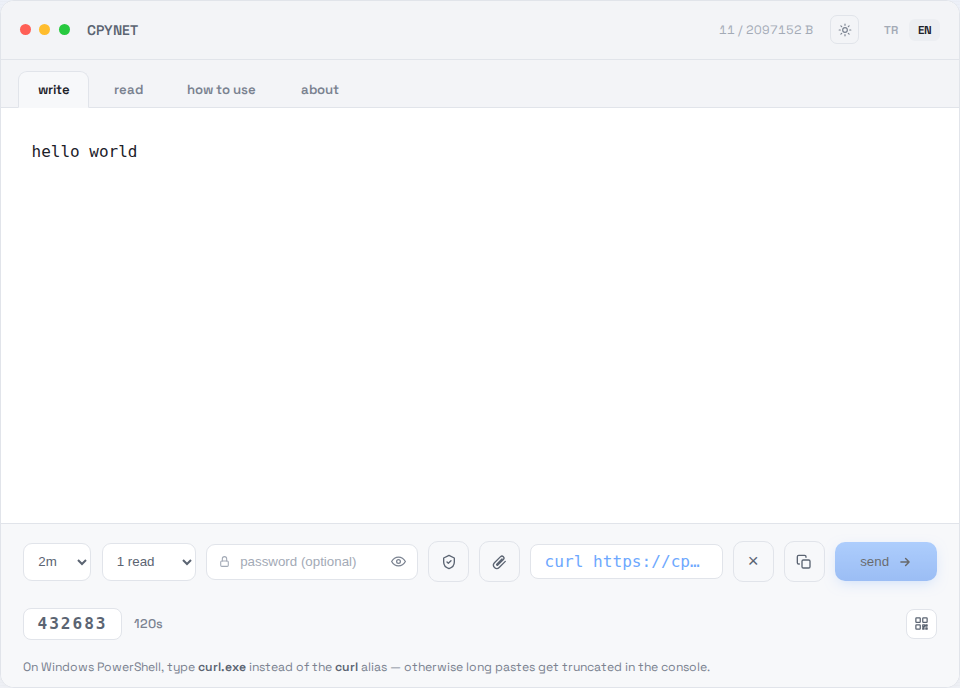
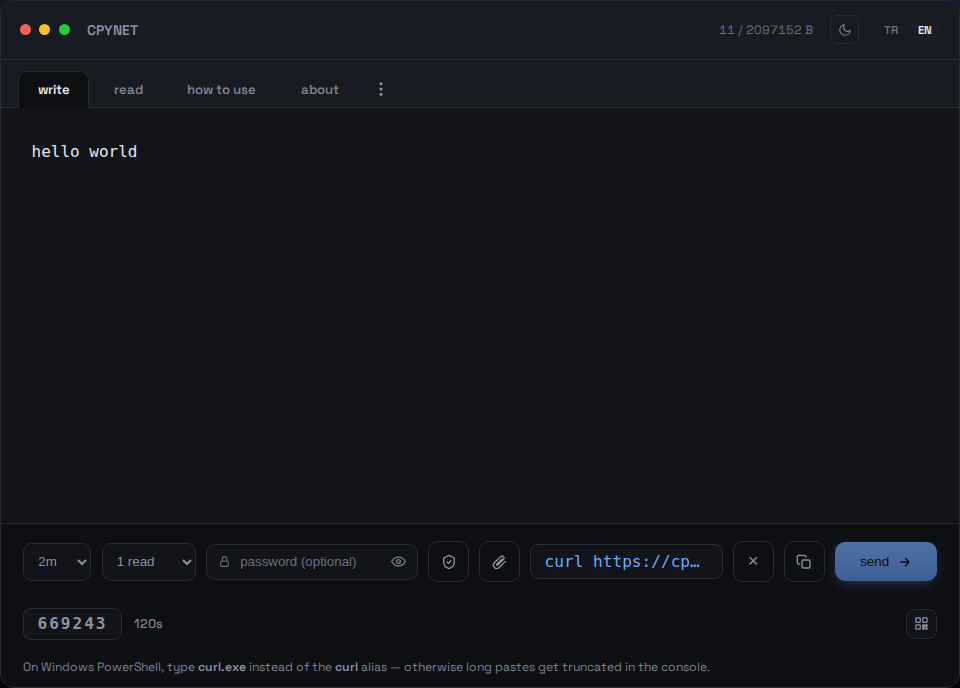
1. 输入文本
在写入标签页粘贴文本或代码,点击发送。
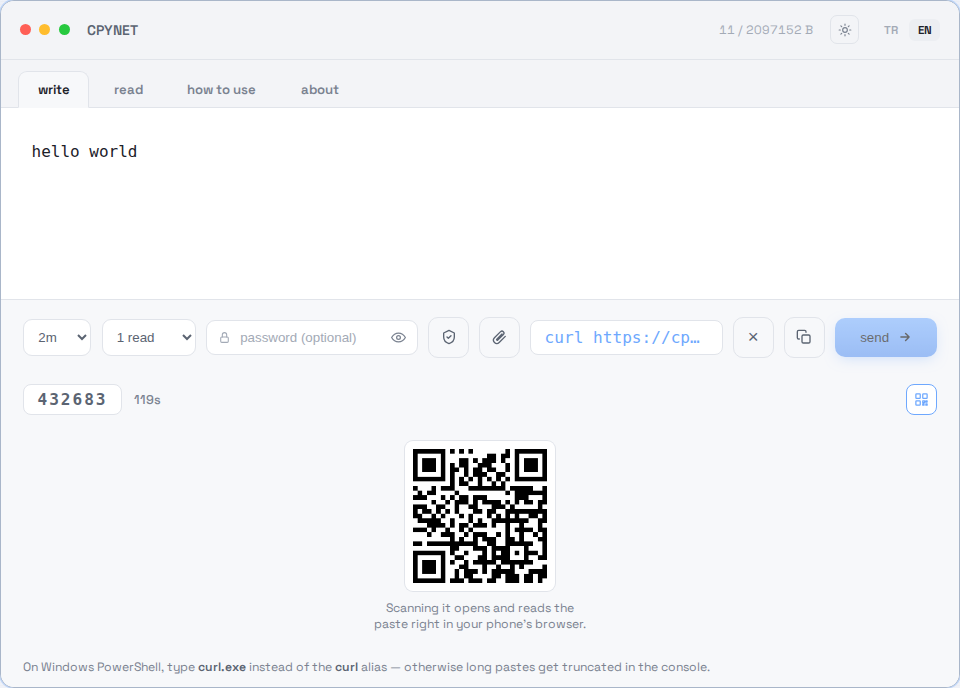
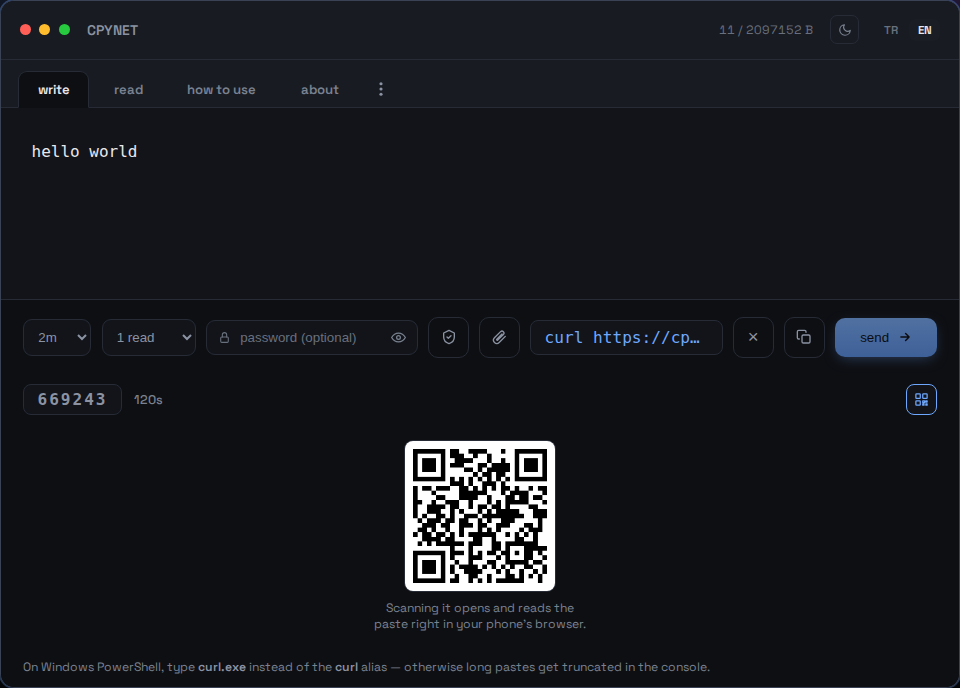
2. 分享代码、链接或二维码
发送后会生成一个6位数代码、一条可直接运行的curl命令和一个可扫描的二维码。
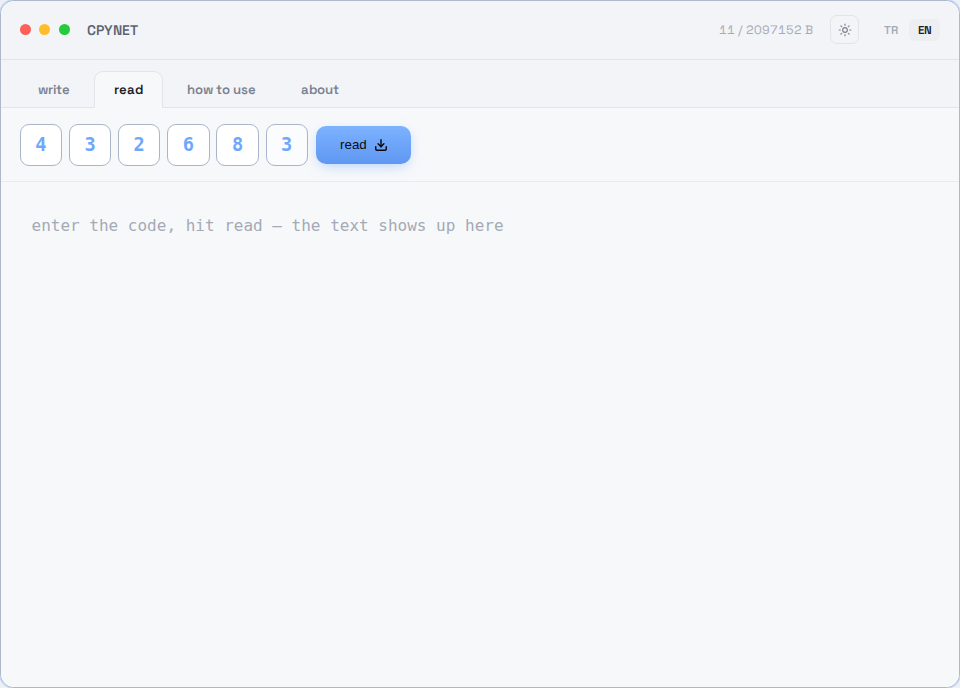
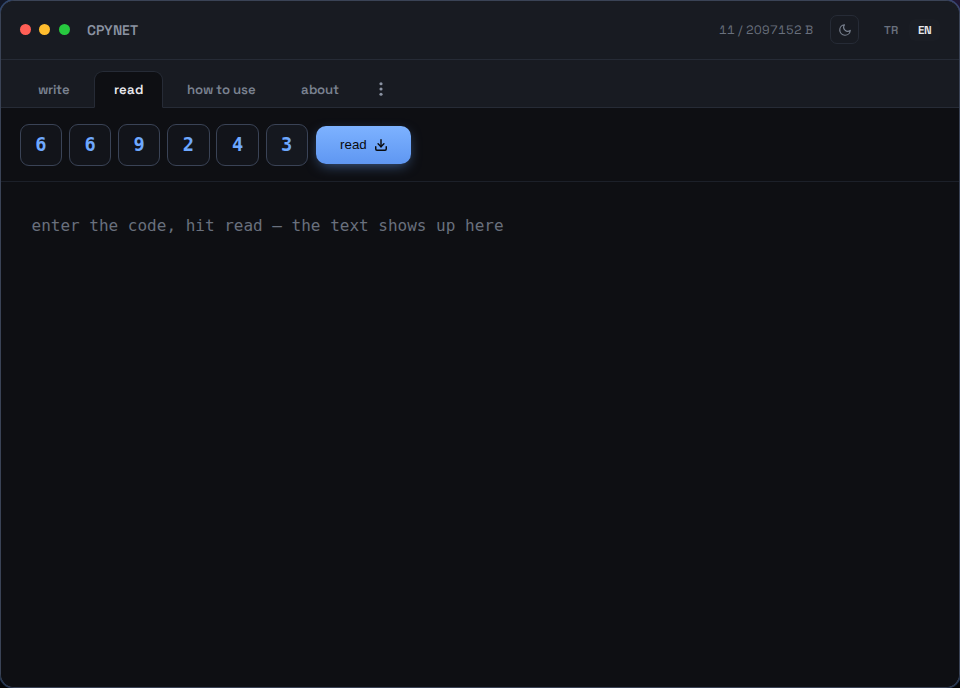
3. 输入代码
在读取标签页输入代码 — 或用手机扫描二维码。
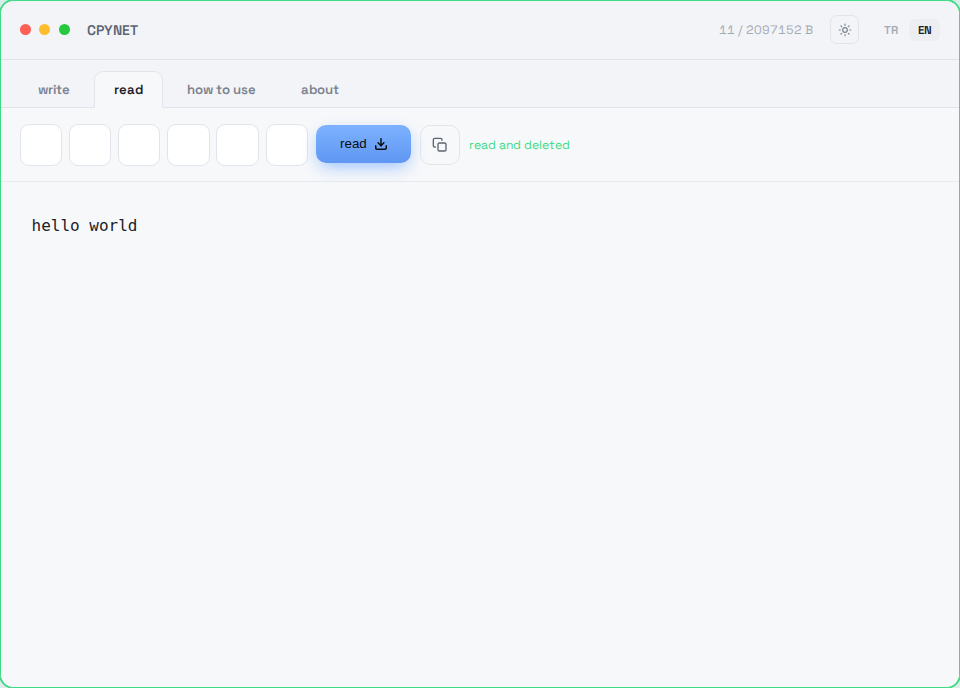
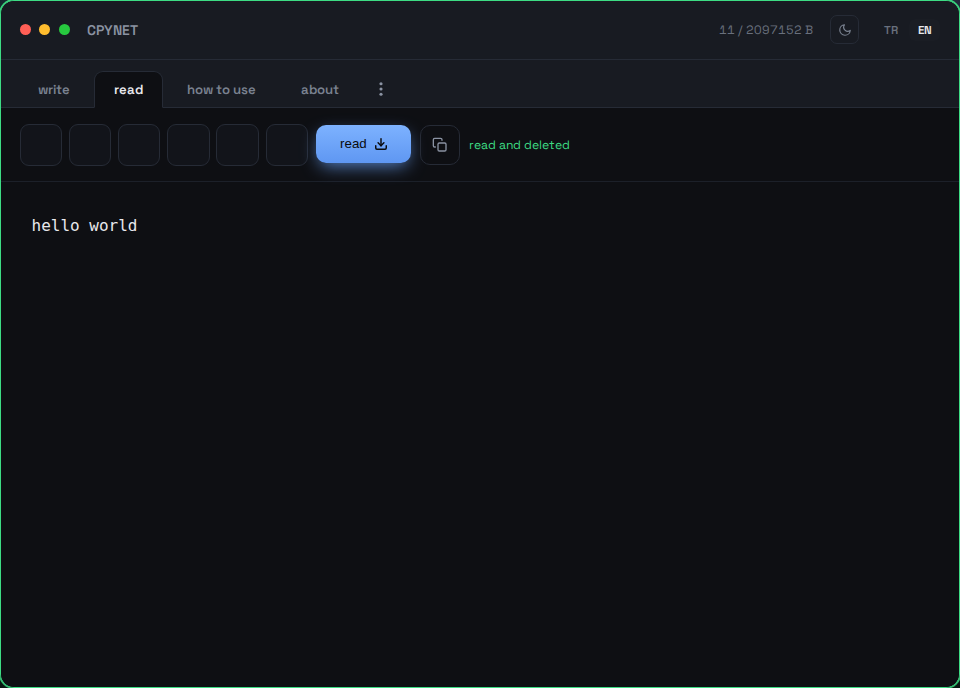
4. 读取一次后即消失
内容会立即显示,并从服务器永久删除 — 相同的代码不能再次使用。
从终端发送
命令 | curl --data-binary @- https://llmtag.com/返回的是一个可直接使用的纯链接。
从终端读取
curl "你的链接"读取一次后永久删除。已安装上面的别名?pst 123456。
使用密码保护
在下方密码框中填写 — 链接会自动附带?p=密码。
Windows / PowerShell
Invoke-RestMethod -Method Post -Body "文本" -Uri https://llmtag.com/Invoke-RestMethod "你的链接"也可以使用内置的Invoke-RestMethod代替curl.exe。
API / CI 集成
在创建请求中添加Accept: application/json,即可获得{"code","url","expires_at"}而非纯文本 — 在脚本中更易解析。完整参考文档,包括状态码(400/401/404/413/429/503)和GitHub Actions示例:/api。
常见问题
一个代码可以使用多少次?
仅一次。读取的瞬间即从服务器永久删除。
计时结束后会发生什么?
即使无人读取,该内容也会自动删除 — 服务器上不会留下任何痕迹。
剪贴板被禁用时如何使用?
CPYNET从不接触剪贴板 — 一切都通过终端的curl传输,因此剪贴板被禁用也没有关系。
服务器会看到或存储我粘贴的内容吗?
文本仅保存在内存中,从不写入磁盘 — 在被读取或计时结束的瞬间即被永久删除。如果设置了密码保护,会以AES-256-GCM加密保存。
在Windows上可以使用吗?
可以 — 在PowerShell中请输入curl.exe而不是curl别名,否则较长文本可能在控制台中被截断。或者使用内置的Invoke-RestMethod,或通过上方Windows / PowerShell部分安装cpy/pst函数。
最大大小和代码长度是多少?
最大 2 MB,6 位数代码,默认在 2分钟 内自动删除 - 可选最长 1天(?ttl= 参数,或写入标签页中的TTL选择器)。默认在 1 次读取后销毁 - 可选最多 10 次读取(?reads= 参数,或读取次数选择器)。
为什么选择CPYNET?
专为无法共享剪贴板的环境而生:通过SSH连接的远程服务器、因策略锁定剪贴板访问的机器,或彼此之间没有共享剪贴板的独立机器/容器/虚拟桌面。CPYNET完全不接触操作系统的剪贴板 — 一切都以纯文本形式通过curl传输 — 因此即使在剪贴板完全被禁用的环境中也能放心使用。
功能特性
- 一次性读取:读取瞬间即永久删除
- 计时结束自动删除,即使无人读取
- 密码保护分享:AES-256-GCM + PBKDF2,服务器仅短暂持有明文
- 实时通知:读取瞬间您的标签页即会收到通知(SSE)
- 小文件支持(仅限允许的扩展名,最长保留1小时):点击📎附加文件,下载时会恢复原始文件名和内容类型
- 按IP限流:防止猜测代码和暴力破解攻击
允许的文件扩展名:.txt, .log, .csv, .json, .md, .pdf, .doc, .docx, .rtf, .xml, .yaml, .yml, .pem, .crt, .key, .conf, .cfg, .env, .ini, .toml
安全性
服务器绝不会执行、解析您粘贴的内容,也不会将其传递给shell — 只是按原样存储并按原样返回。无第三方依赖(纯Go标准库),不以用户数据访问文件系统,不发起任何外部请求。
零知识加密(服务器永远无法看到内容)
写入标签页上的盾牌图标(🔒),或终端中的cpy -e,是与上方密码不同的一层保护:使用密码时,服务器会短暂自行解密文本以进行校验;而在这里,加密完全在您这一侧完成 — 服务器除了密文之外什么也看不到。
- 您的浏览器(或cpy -e)会生成一个随机密钥 — 它永远不会离开您的机器。
- 文本会用该密钥在浏览器中(WebCrypto AES-256-GCM)或终端中(openssl)加密。
- 只有密文会被发送到服务器,这也是服务器唯一存储的内容 — 它永远不会看到明文。
- 密钥通过链接的#key=部分传递(浏览器从不将片段发送到服务器),或在终端中通过pst -key=单独提供 — 仅有链接或代码本身是无用的。
⚠️ 免责声明:这并不能消除未经检查就将内容传递给shell(curl ... | bash)的风险 — 这是任何分享工具都存在的普遍风险,并非本服务特有。切勿运行来自不受信任来源、未经检查的命令。
限制
最大大小:2 MB · 代码:6 位 · 自动删除:默认 2分钟,可选最长 1天 · 读取次数:默认 1 次,最多 10 次
CPYNET v1.0 — 单一文件、单一Go二进制程序 — 无需外部数据库或依赖项。